 erkemoz
← All programs
Erkemoz - Channel Analytics
A free channel analytics app for YouTube creators, for Windows.
Latest version: v2.0 · ≈ 25 MB · Windows 10 / 11 · 64-bit · free
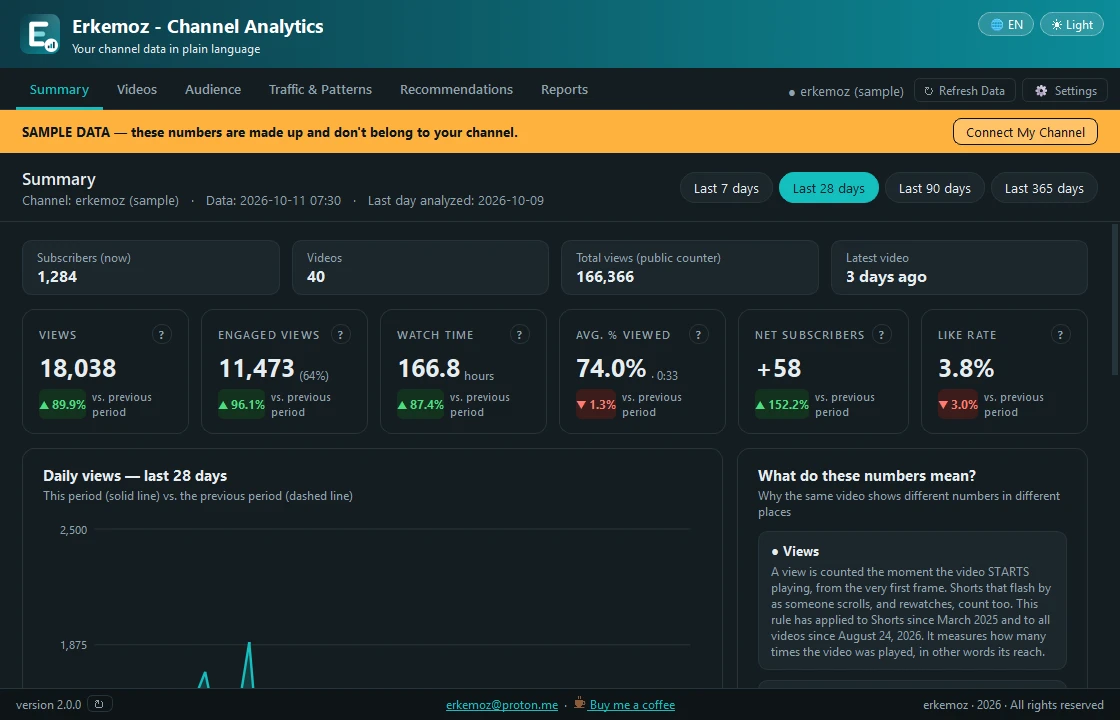
Shown in your chosen language and theme.
What it does
- Summary: views, watch time, subscribers and engagement, the change from the previous period, and a plain explanation of every figure.
- Every video gets an A–D grade against your own channel's videos, plus its audience retention curve and the drop-off in the first seconds.
- Audience and traffic: age, gender, country, device, traffic sources and the searches that found you.
- Shows which video lengths, publish days, times and title styles perform best, and turns your data into concrete recommendations.
- Creates an Excel report you can filter and sort, a one-page PDF summary and a Markdown summary you can paste into an AI assistant.
- Explore with sample data before connecting an account; light/dark theme; 8 languages.
Installation
- Download the installer and run it.
- If Windows shows "Windows protected your PC" (SmartScreen), click "More info" → "Run anyway". This warning appears because the program isn't signed with a paid certificate yet.
- Open the program and follow the steps in Settings to create your own Google Cloud project once (about 5 minutes). Select the client file, connect your account and click Refresh Data.
Good to know
- The program can't change anything on your channel; it only asks Google for read-only access. Your data stays on your computer.
- You connect to Google through your own Google Cloud project, so your data never passes through anyone else's server. Google's free daily quota is enough for normal use.
- YouTube is a trademark of Google LLC. This program isn't affiliated with Google or YouTube.
- Only download from erkemoz.app — modified copies won't run.

Find the tools useful?
They're free and will stay free. If one saved you some time, you can buy me a coffee — it helps keep new programs coming.