 erkemoz
← All programs

Erkemoz - Duplicate Finder
A free duplicate file finder and cleaner for Windows.
Latest version: v2.0 · ≈ 23 MB · Windows 10 / 11 · 64-bit · free
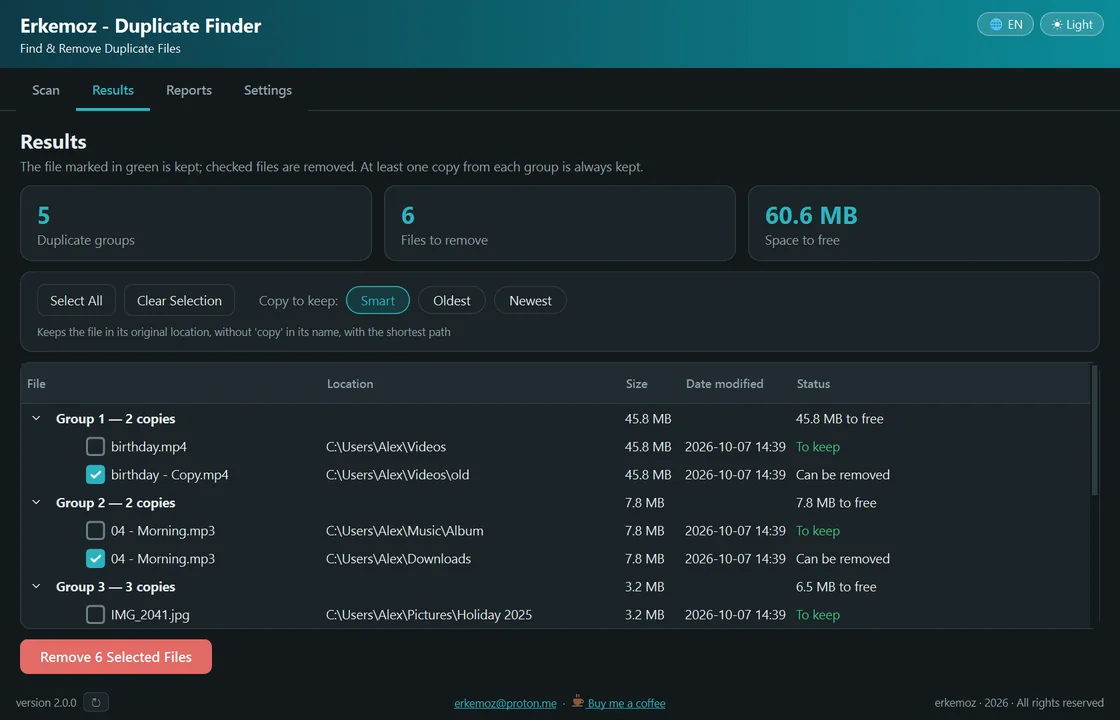
Shown in your chosen language and theme.
What it does
- Recognizes files by their content: finds identical copies even when the name, date or location differs.
- At least one copy from each group is always kept. You choose which one with the Smart, Oldest or Newest rule.
- Extra copies go to the Recycle Bin or to a quarantine folder with their folder structure intact; nothing is removed without asking.
- Writes an Excel report for every scan and cleanup, so you can see where each file went.
- Skips system folders such as Windows and Program Files, shortcuts, and online-only cloud files.
- Light/dark theme; 8 languages.
Installation
- Download the installer and run it.
- If Windows shows "Windows protected your PC" (SmartScreen), click "More info" → "Run anyway". This warning appears because the program isn't signed with a paid certificate yet.
- Open the program, add a folder to scan and click Start Scan. Review the results and remove the files you selected.
Good to know
- Removed files can be restored from the Recycle Bin or the quarantine folder.
- Identical files inside a program's folder aren't duplicates — the program needs them. That's why system and program folders aren't scanned by default.
- Only download from erkemoz.app — modified copies won't run.

Find the tools useful?
They're free and will stay free. If one saved you some time, you can buy me a coffee — it helps keep new programs coming.