Skip to content
erkemozerkemoz.app
← Game Patches, Mods & Cheats

Farthest Frontier Cheat Panel

Free in-game cheat panel / trainer (hile paneli). Installs with one click.

Farthest Frontier Cheat Panel v1.2

Steam · Mod

An in-game cheat panel that opens with F8: add resources, call immigrants and traders, control seasons and time, build instantly, and save your favourite settings as presets. In 8 languages; works with or without the Turkish patch.

No-installer package (zip) →

About

A free in-game cheat panel (trainer) for Farthest Frontier. Press F8 in the game and change resources, population, villagers, building, time, trade, animals and the world on the spot.

The panel is a MelonLoader mod for the game's Mono version. It doesn't change the game's original files, and because it is drawn with the game's own artwork and icons, it looks like part of the game. It speaks 8 languages: Turkish if the Turkish patch is installed, otherwise your game's language, and the language button in its title bar switches it at any time. Item and building names come from the game's official translation. It works with or without the Turkish patch. The installer is in 8 languages too: it finds the game folder through Steam, backs up any file it replaces and can be removed from Control Panel.

At a glance

  • Opens with F8; the hotkey can be changed
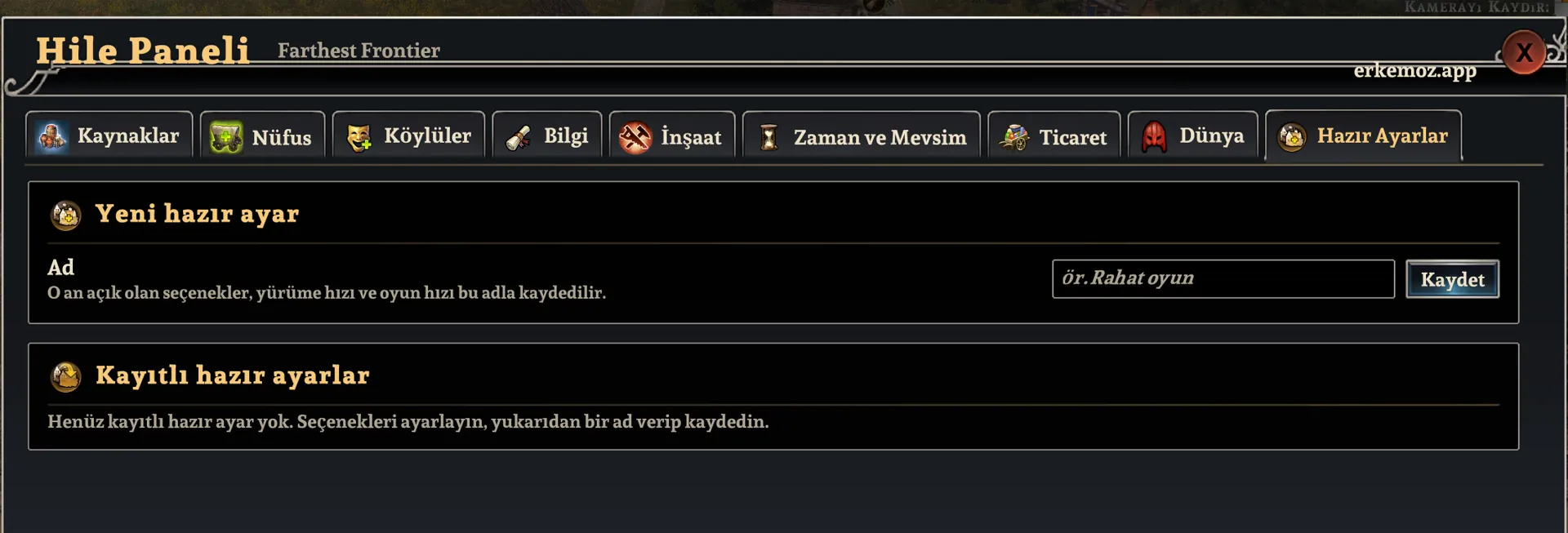
  • 10 tabs: resources, population, villagers, knowledge, building, time and seasons, trade, animals, world, presets
  • Works with the game's Mono version
  • The Turkish patch is not required
  • Panel languages: Türkçe, English, Deutsch, Français, Español, Português, Italiano, Русский — opens in your game's language (Turkish with the Turkish patch); switch with the language button in its title bar
  • Made by erkemoz — free Windows apps and Turkish translations

How to open it

  1. Click Play in Steam and choose “Play Farthest Frontier (Mono)”.
  2. Load a save or start a new game.
  3. Press F8. The same key or the cross in the top-right corner closes the panel; drag it by its title bar, and use − / + at the bottom to resize it.

What's inside

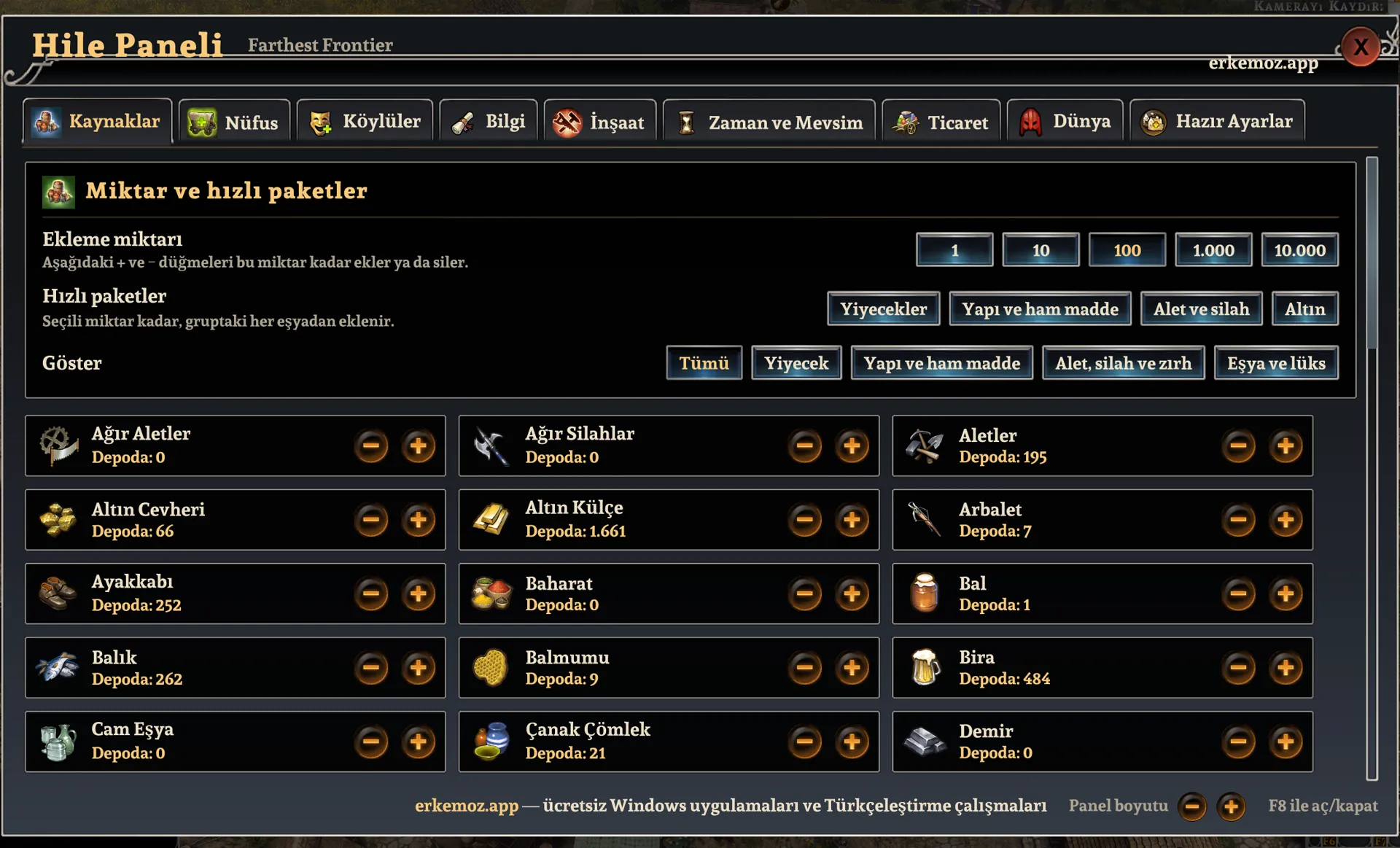
  • Resources: add or remove every item, each with its in-game icon; quick packs for food, building materials, tools and weapons, and gold.
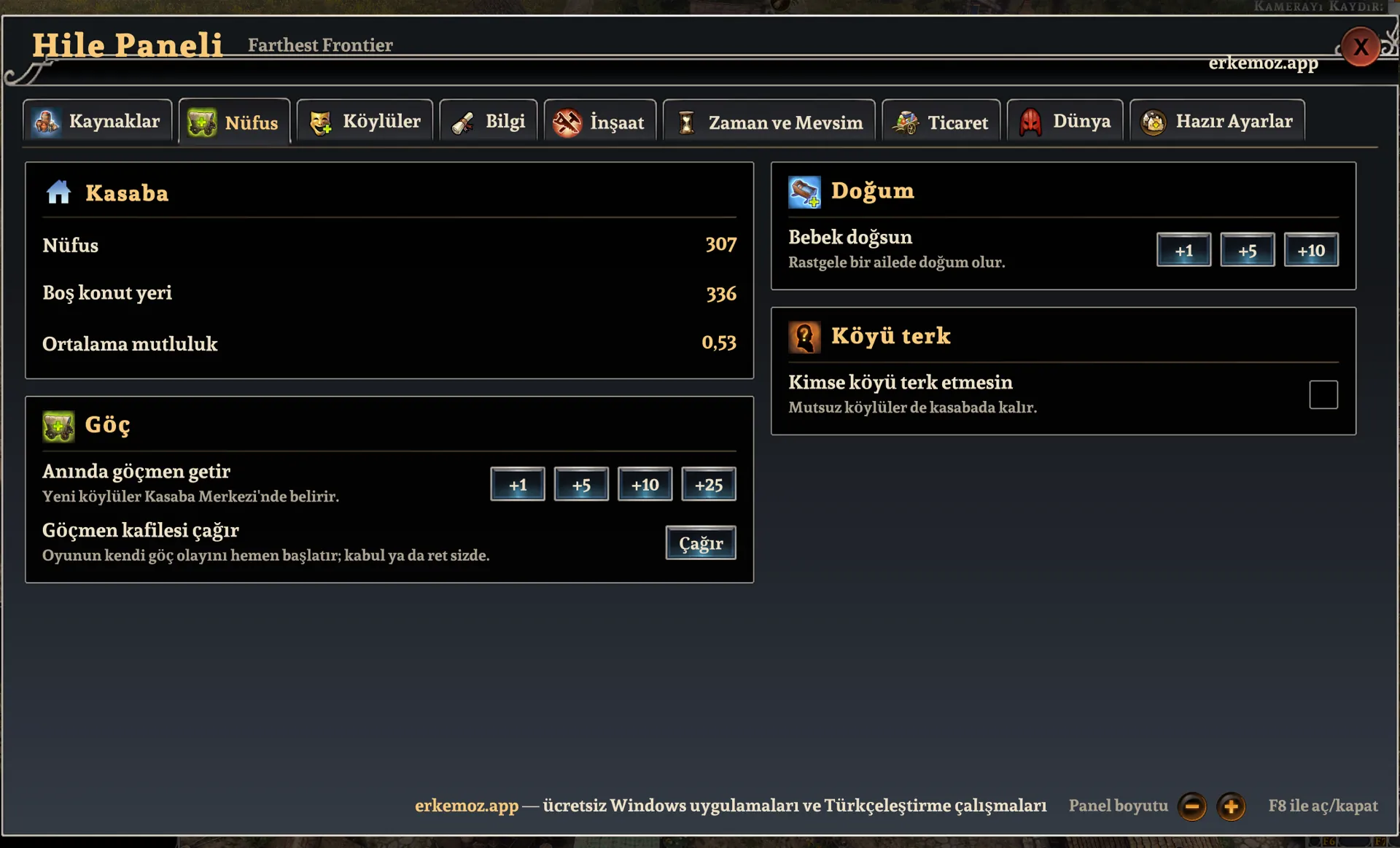
  • Population: instant immigrants, an immigrant caravan, births; nobody leaves the village.
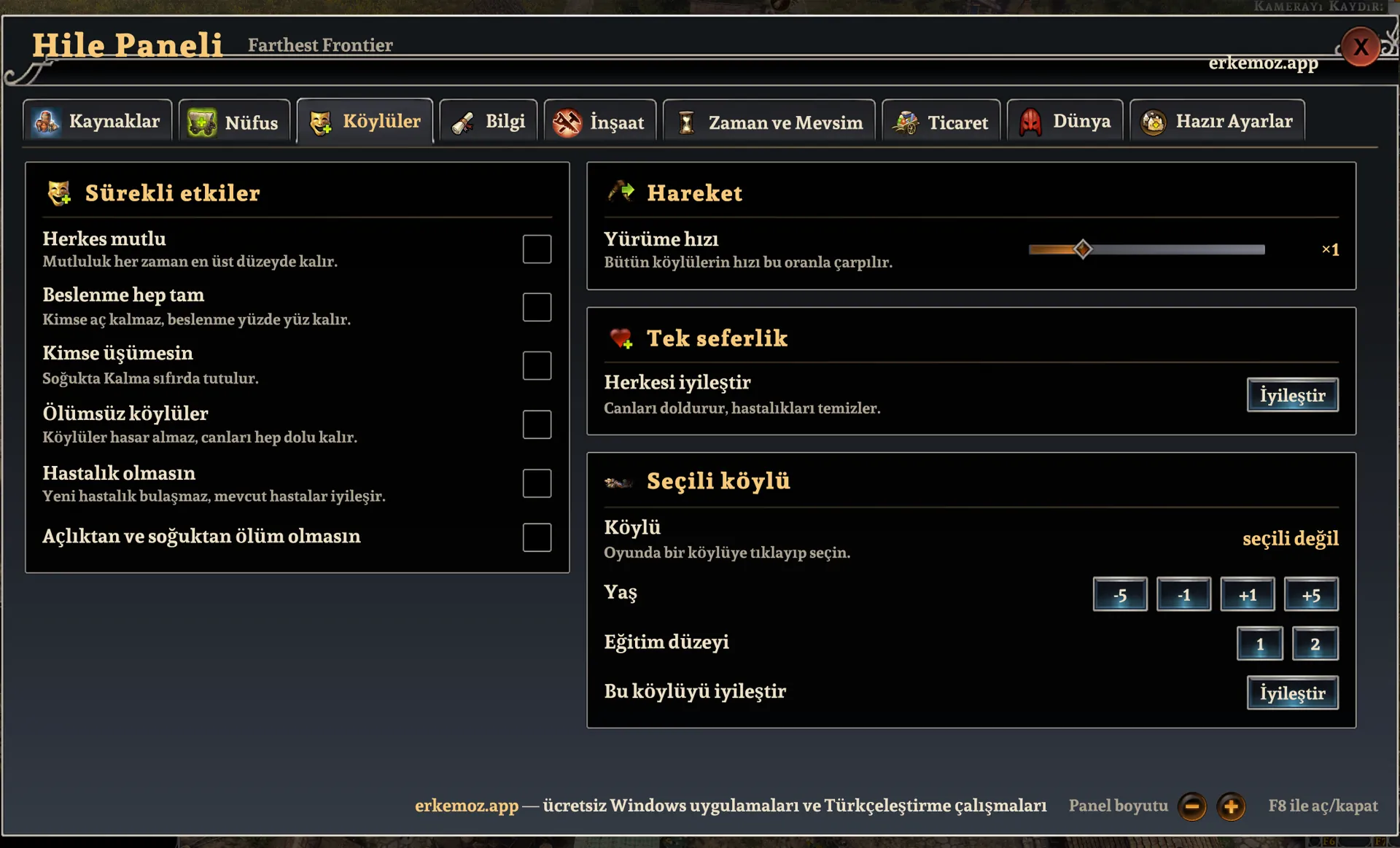
  • Villagers: everyone happy, always fully fed, nobody freezes, immortality, no disease, walking speed (×0.5 – ×3); the selected villager's age and education level.
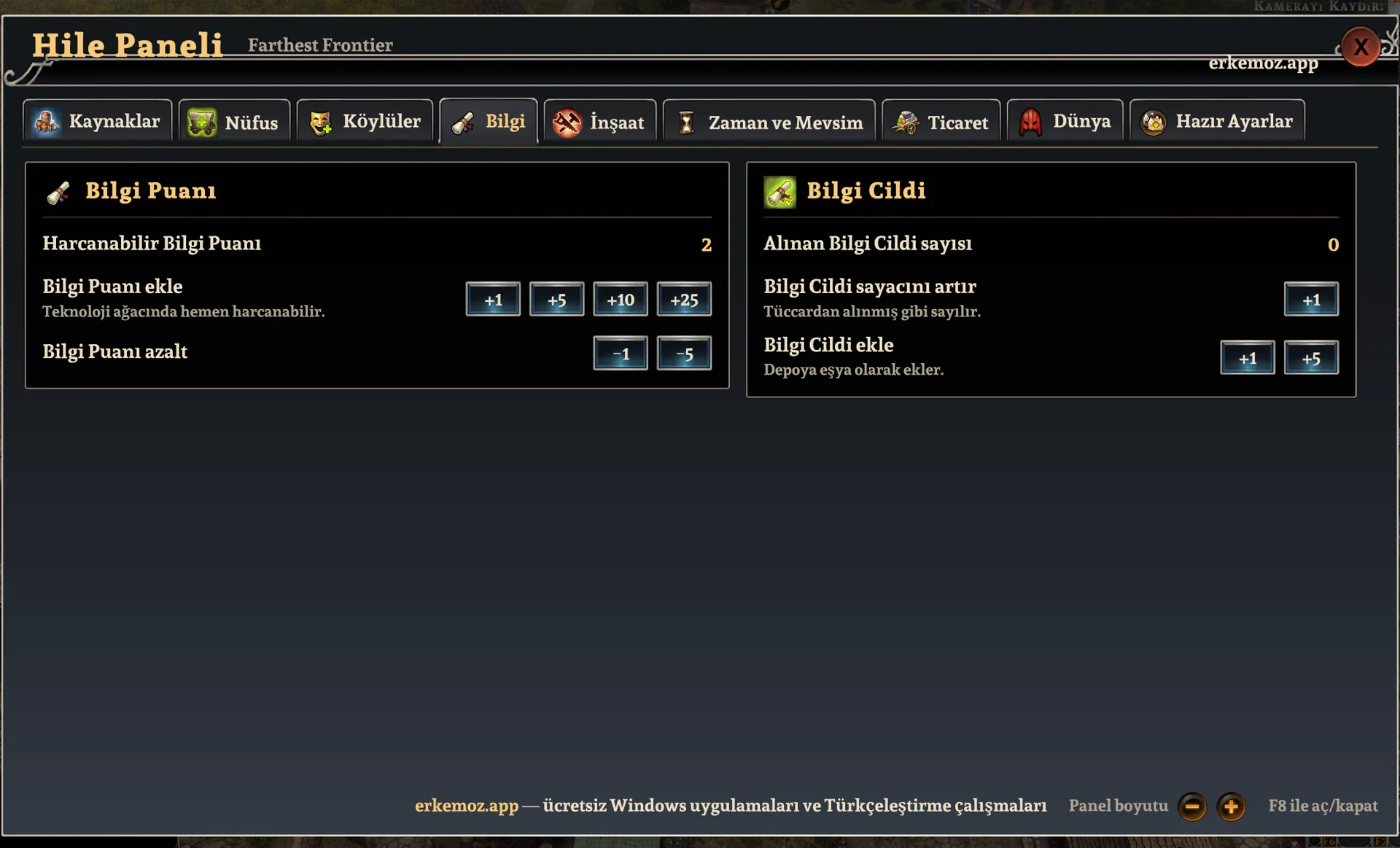
  • Knowledge: add or remove Knowledge Points, Knowledge Tomes.
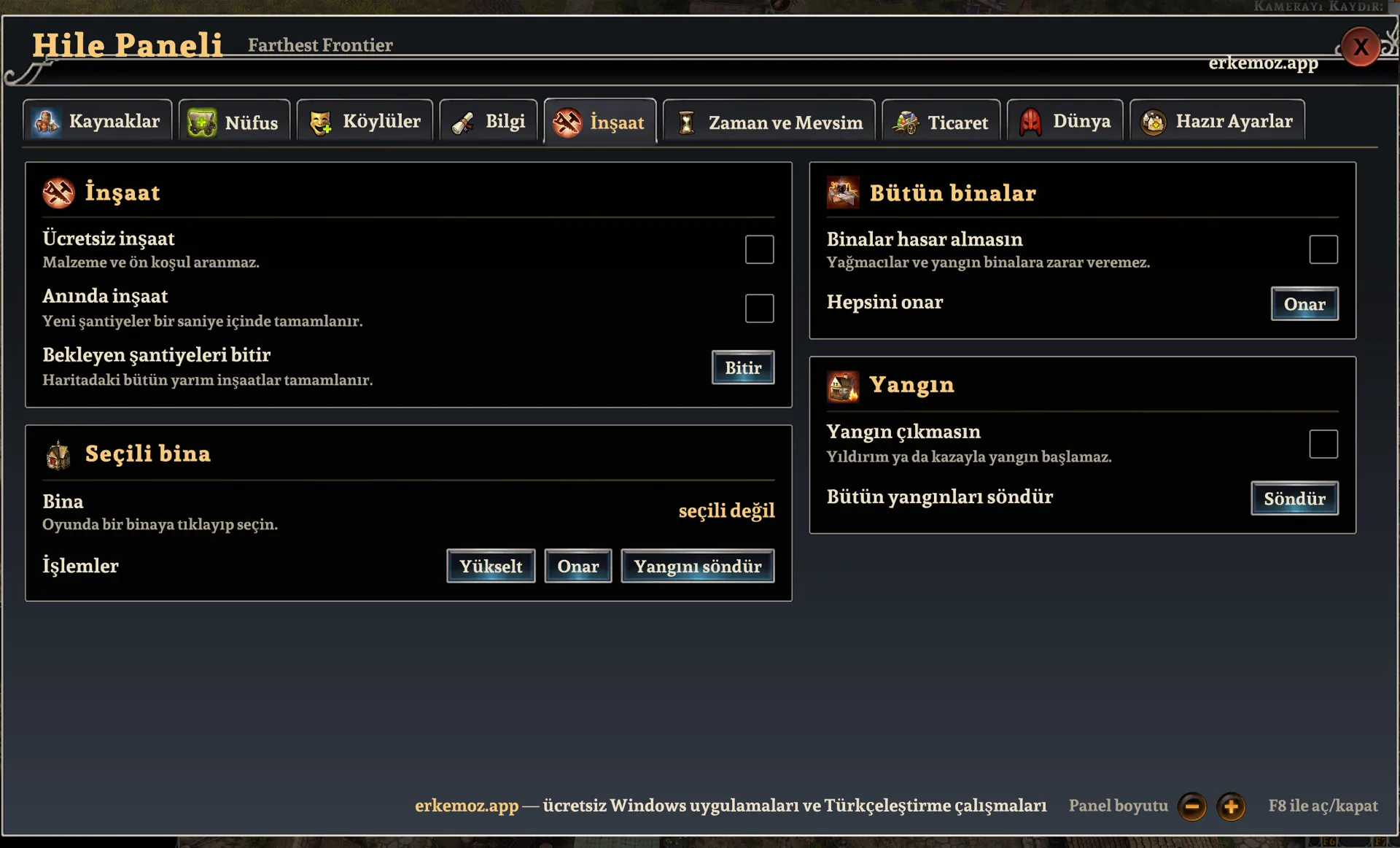
  • Construction: free and instant building, finish construction sites, upgrade and repair the selected building, no building damage, no fires, put out fires.
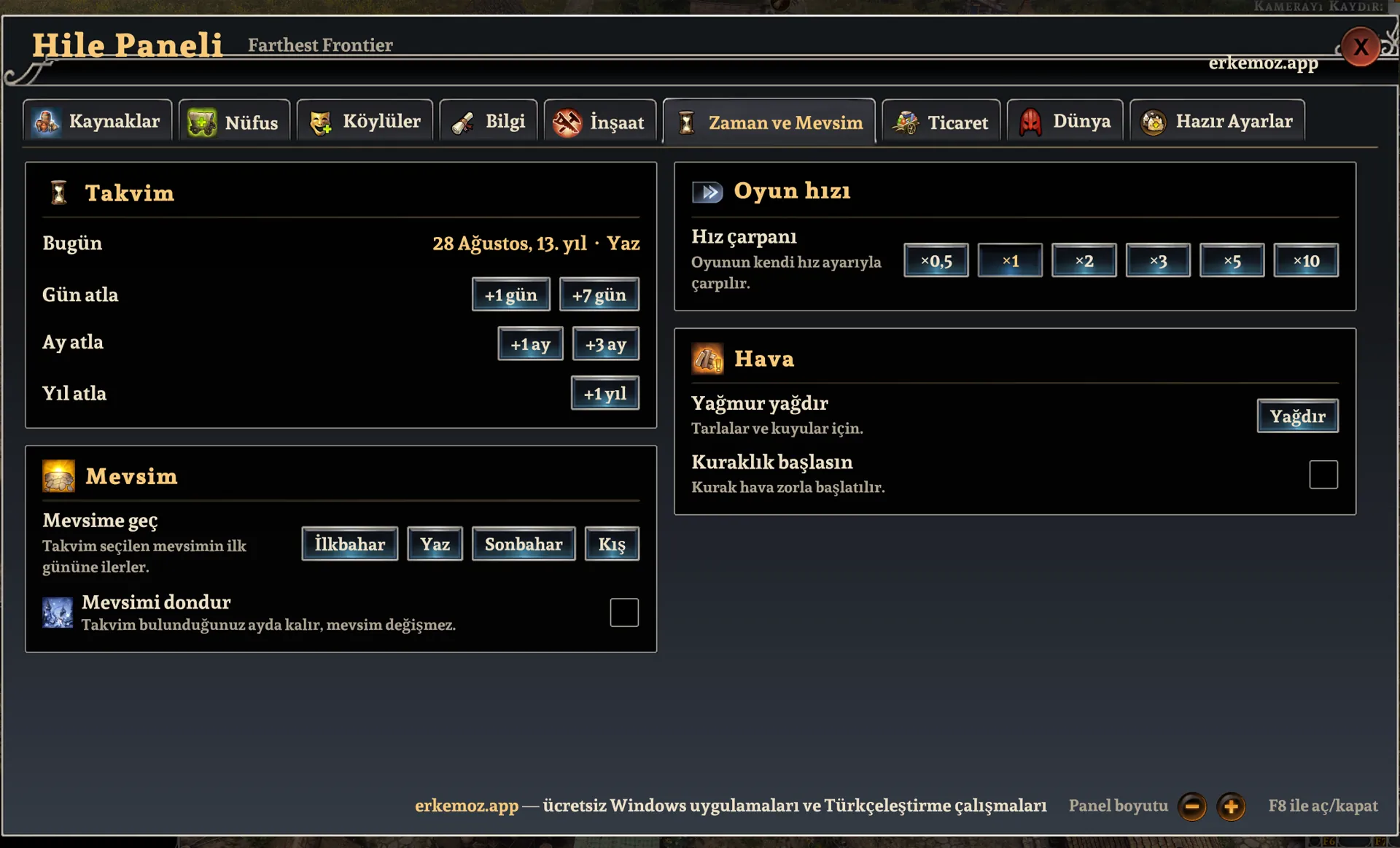
  • Time and Season: skip days, months and years, jump to any season, freeze the season, ×0.5 – ×10 game speed, rain, drought.
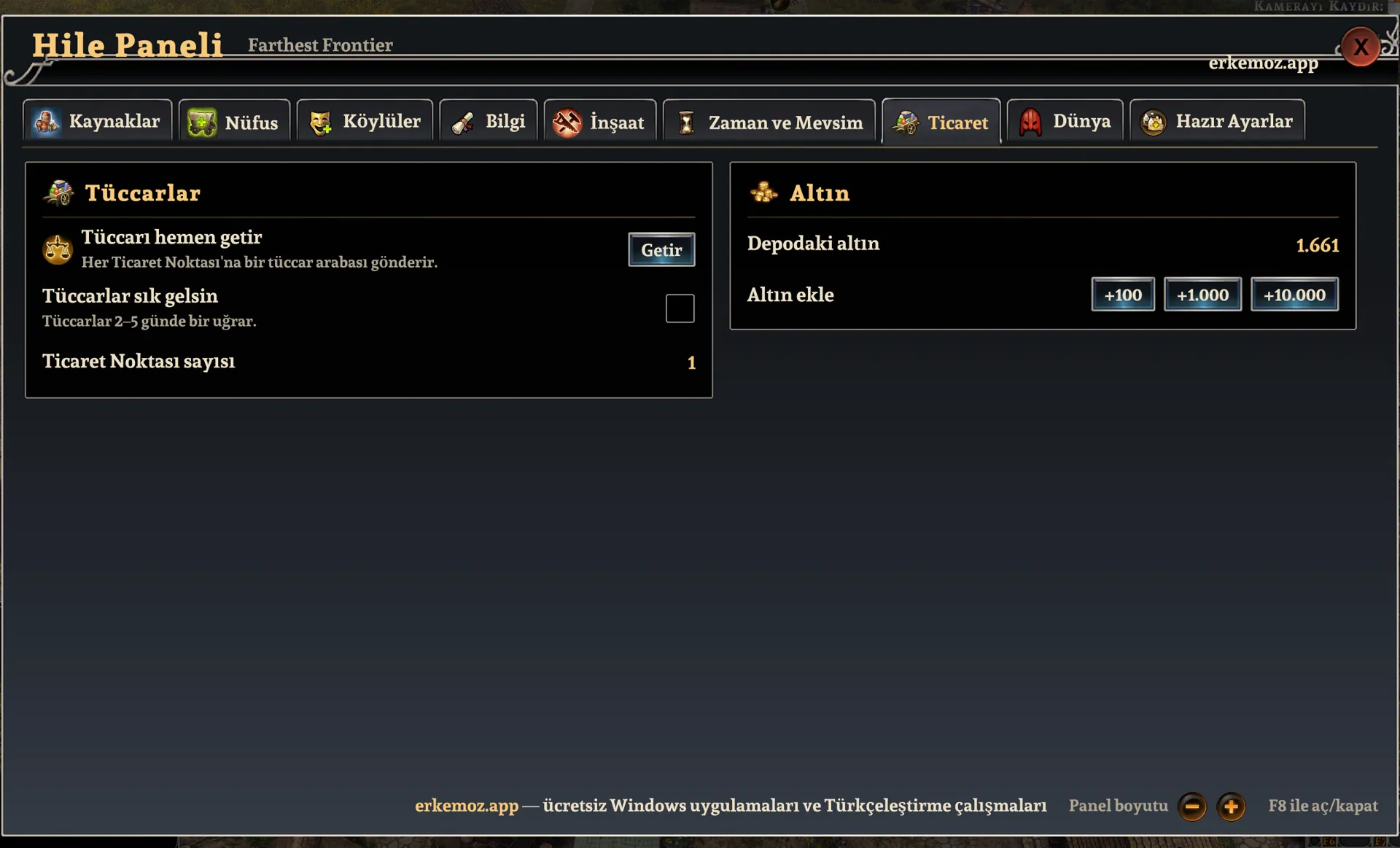
  • Trade: bring the trader now, traders every 2–5 days, add gold.
  • Animals: dog, cat and rodent counts for the Dogs & Cats DLC; animals always healthy, animals don't die; add adult animals to the selected pen, coop or kennel. Works for livestock too.
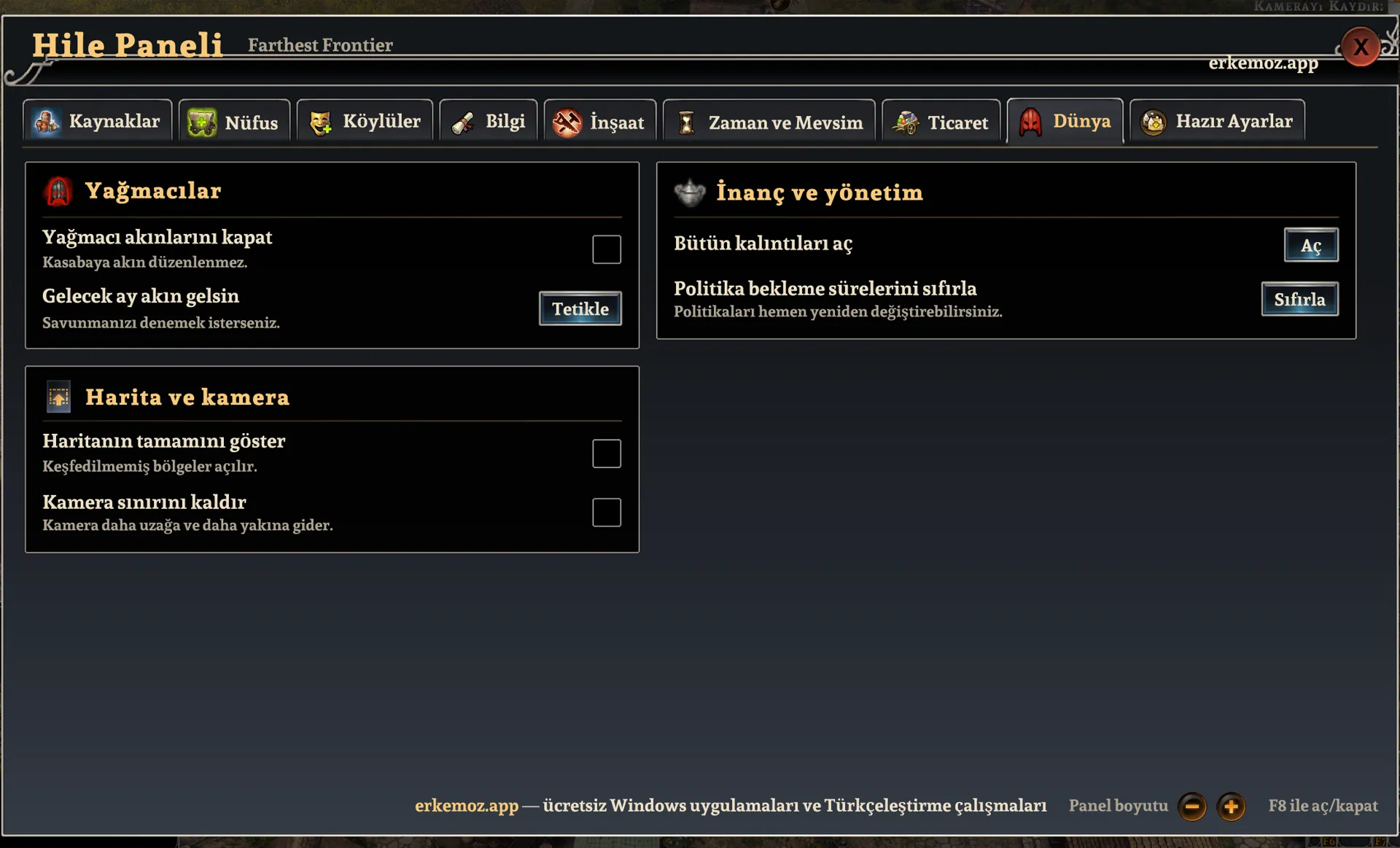
  • World: turn raider attacks off or trigger them, reveal the whole map, remove the camera limit, unlock all relics, reset policy cooldowns.
  • Presets: save the active options and speed settings under any name and restore them with one click. Mark one as “automatic” and it is applied every time a save loads.

Easiest: with Erkemoz - Game Mods

  1. Download and install Erkemoz - Game Mods. It's free.
  2. It finds your Steam and Ubisoft Connect games by itself. In “Library”, click “Install” on the game's card.
  3. When a new version is out, an “Update” button appears on the card. Turn on “Install new patch versions automatically” in Settings and it updates by itself.
  4. If a game update breaks the patch, Game Mods sets it aside and reinstalls it once a compatible version is out.

With the installer (recommended)

  1. Click “Download installer” on this page and run the downloaded file.
  2. If Windows shows "Windows protected your PC" (SmartScreen), click "More info" → "Run anyway". This warning appears because the program isn't signed with a paid certificate yet.
  3. The installer finds the game folder by itself; if it can't, you pick the folder where the game is installed.

Without the installer

  1. Download the zip from the “No-installer package (zip)” link and extract it to a folder.
  2. In Steam, right-click the game → Manage → Browse local files.
  3. In the folder that opens, go into the “Farthest Frontier (Mono)” folder.
  4. Copy the “Mods” folder from the package there. Result: Farthest Frontier (Mono)\Mods\FarthestFrontier_Hile.dll

Frequently asked questions

I press F8 but the panel doesn't open.

Make sure you started the game with “Play Farthest Frontier (Mono)”, load a save or start a new game, then press F8. The panel doesn't load in the regular version of the game.

Will cheats break my save?

Ongoing effects you turn on in the panel switch off when a save loads or when you return to the main menu. Still, it's a good idea to back up your save before using cheats.

Can I change the F8 shortcut?

Yes. In Farthest Frontier (Mono)\UserData\MelonPreferences.cfg, change Kisayol = "F8" in the [HilePaneli] section (e.g. "F9" or "Insert").

Do I need the Turkish patch to use the panel?

No. The panel works with or without the Turkish patch. With the patch installed it opens in Turkish; otherwise it uses your game's language.

Where are my presets stored?

In Farthest Frontier (Mono)\UserData\FarthestFrontier_HazirAyarlar.json.

Which languages does the panel have, and how do I switch?

Türkçe, English, Deutsch, Français, Español, Português, Italiano and Русский. Click the language button in the panel's title bar and pick one; your choice is remembered. Item and building names come from the game's official translation, and lists are sorted by each language's alphabet.

Windows says “Windows protected your PC” when I open the installer. Is it safe?

Windows SmartScreen shows this warning because the installers aren't signed with a paid code-signing certificate. Click “More info → Run anyway”. If you like, compare the file's SHA-256 fingerprint with the one in the release notes on GitHub.

What's the easiest way to stay up to date?

Erkemoz - Game Mods. It installs new versions by itself; if a game update breaks a patch or panel, it sets it aside and reinstalls it once a compatible version is out. If you downloaded it manually from this page, check back here for new versions.

I found a bug or a missing translation. Where do I report it?

Write to [email protected]. A screenshot makes the problem easier to find; fixes are published in a new version.

Uninstalling

Control Panel → Programs → “Farthest Frontier Hile Paneli”, or FarthestFrontier_Hile_Kaldir.exe in the game folder. If you installed without the installer, delete FarthestFrontier_Hile.dll from the Mods folder.

Good to know

  • The patches are unofficial; games and their names belong to their owners. Play with your own copy of the game.
  • The patches and cheat panels were made and tested on the Steam versions of the games. If one doesn't work on another version such as Epic Games, GOG or Xbox / Game Pass, write to me and we'll look into it together.
  • Found a bug or a missing translation? Write to me: [email protected]

Find the tools useful?

They're free and will stay free. If one saved you some time, you can buy me a coffee — it helps keep new programs coming.

Buy me a coffee