 erkemoz
← All programs
Erkemoz - Video Downloader
A free video and audio downloader for Windows.
Latest version: v1.0 · ≈ 22 MB · Windows 10 / 11 · 64-bit · free
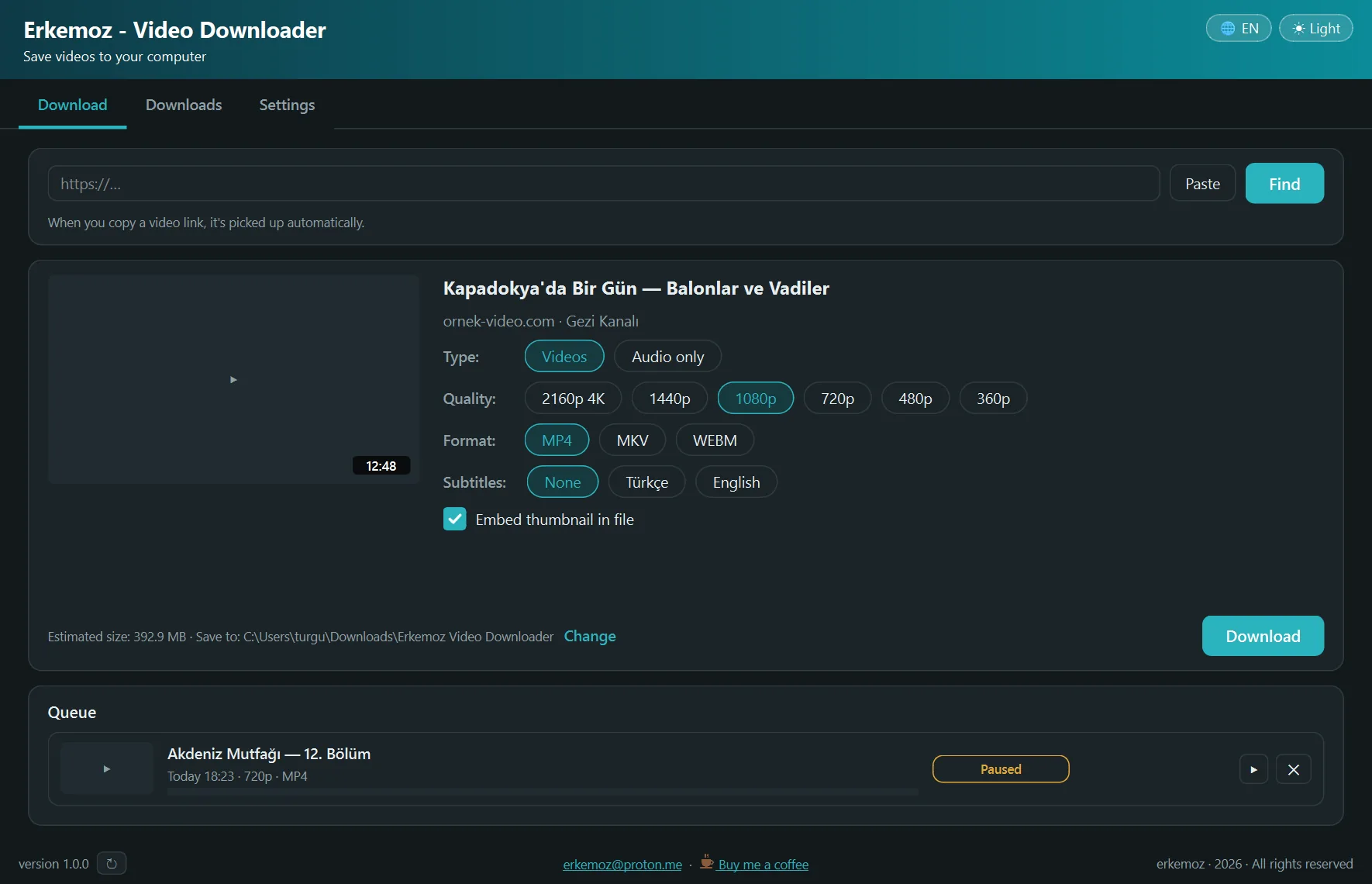
Shown in your chosen language and theme.
What it does
- Paste a link, or just copy it — the app catches it. Up to 4K, MP4 / MKV / WEBM, or audio only (MP3 / M4A / OPUS).
- Pick videos from playlists and channels with checkboxes and download them in one go; already-downloaded ones are marked.
- Embeds subtitles and the thumbnail in the file.
- Pausable queue and a permanent download history; unfinished downloads resume where they left off after a restart.
- Can use your browser's session for (unprotected) videos that require an account.
- Light/dark theme; 8 languages.
Installation
- Download the installer and run it.
- If Windows shows "Windows protected your PC" (SmartScreen), click "More info" → "Run anyway". This warning appears because the program isn't signed with a paid certificate yet.
- Open the app; on first launch the download engine is fetched once (about 220 MB). Then paste a video link and click Download.
Good to know
- Protected (DRM) content isn't downloaded, so subscription film and TV platforms don't work.
- Use what you download only as permitted; copyright and each site's terms of use are your responsibility.
- The download engine (yt-dlp, ffmpeg LGPL, deno) is open source; it's fetched from its publishers and verified with SHA-256.
- Only download from erkemoz.app — modified copies won't run.
Supported sites
This list comes live from the download engine yt-dlp every time you open the page. The engine checks for updates daily, so new sites reach the app automatically.
A site that isn't listed may still work through the generic extractor. Being listed doesn't guarantee it works; as sites change, some may break for a while. The only sure way is to try.
Browser extension
A Chrome extension that adds a “Download with Erkemoz” button over videos is coming to the Chrome Web Store soon. Store rules mean it won't work on YouTube; there, just copy the link.

Find the tools useful?
They're free and will stay free. If one saved you some time, you can buy me a coffee — it helps keep new programs coming.